One app to
rule them all.
AI with your own key, launcher search, window snapping, math, a translator and more. Built in Swift. Made exclusively for your Mac.
- 100% native macOS
- Pay once · $99
- Up to 3 Macs
- 7-day money-back refund
- Built by @thekitze
See it in action





100% native macOS
Mac.
To the core.
Built in Swift. Made exclusively for macOS.
No Electron. No cross-platform wrapper.
Just a proper Mac app, through and through.
Swift. SwiftUI. AppKit.
Real macOS frameworks, from the search window to your AI conversations.
The Mac way, everywhere.
Keyboard shortcuts, native controls, system actions, and the Apple apps you already use.
Your Mac comes first.
AI with your own key or a local model. Translation on-device on macOS 26 and later.
One key, every command.
Open Supermac with a shortcut, then type. Apps, math, emoji and window snapping answer from the same field.
Your AI key. No Pro plan.
Bring your own key for OpenAI, Claude, Gemini or Grok, or run local models through Ollama and LM Studio. Replies stream in. There is no AI subscription from us.
Pay once. $99.
No subscription. $99 once, up to 3 Macs, all 1.x updates included.
Why Supermac
One app, instead of a pile of workarounds.
Spotlight, System Settings and a few scripts cover the basics. Supermac brings the everyday jobs into one native field, so you stop switching tools in the middle of a task.
| What you want to do | Built-in macOS | With Supermac |
|---|---|---|
| Open an app or a file | Spotlight finds apps and documents. Other jobs mean opening another app or learning its own shortcut. | Launcher search opens apps, and the same field also handles math, emoji and window layouts. |
| Work out a sum | Open Calculator, or type a simple sum into Spotlight and copy the answer. | Type the sum into the launcher and the answer appears inline, ready to copy. |
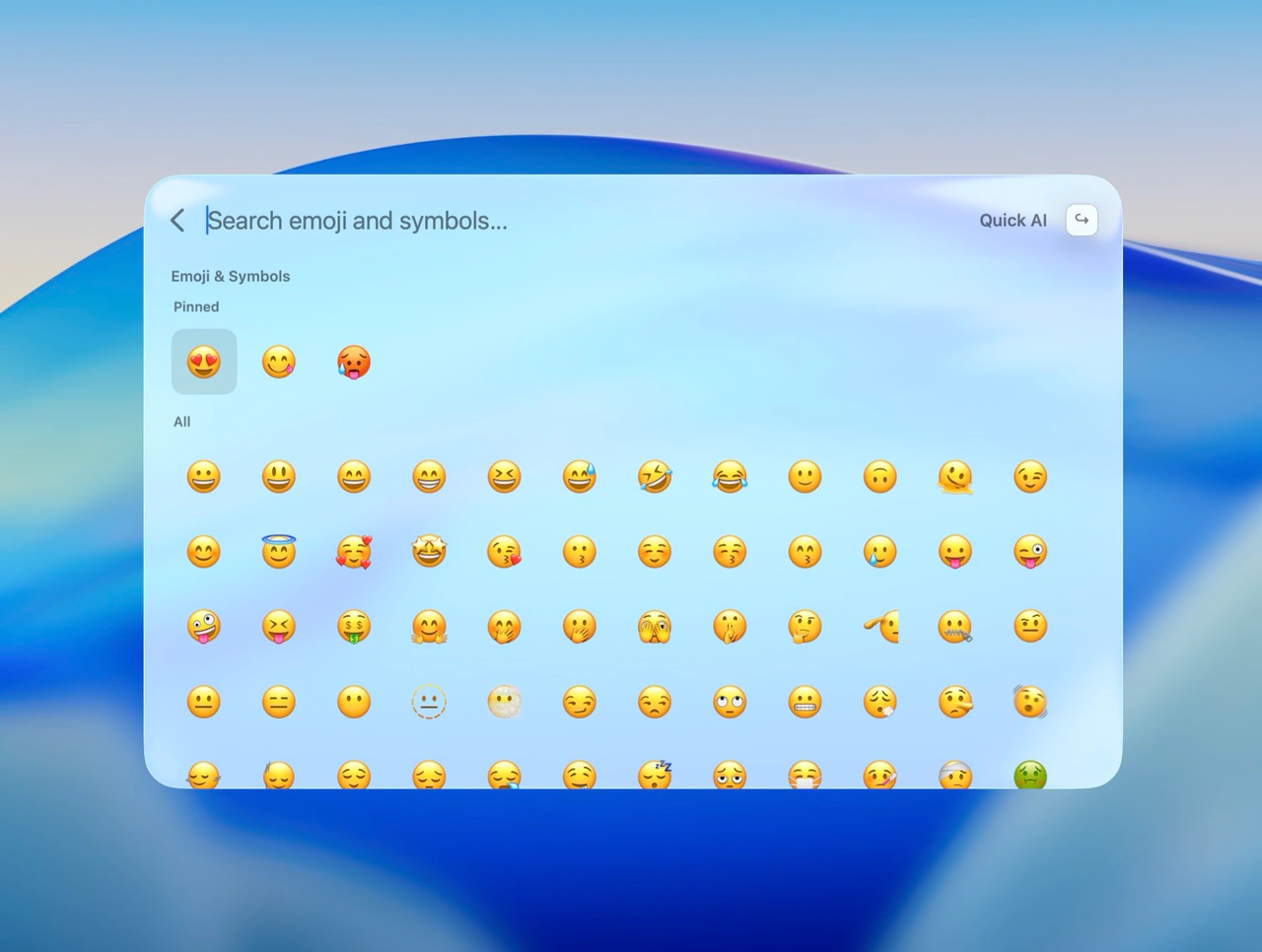
| Find an emoji or symbol | Open the emoji picker or Character Viewer and search there, then insert the character. | Search emoji and symbols by name in the launcher and insert them into the app you were typing in. |
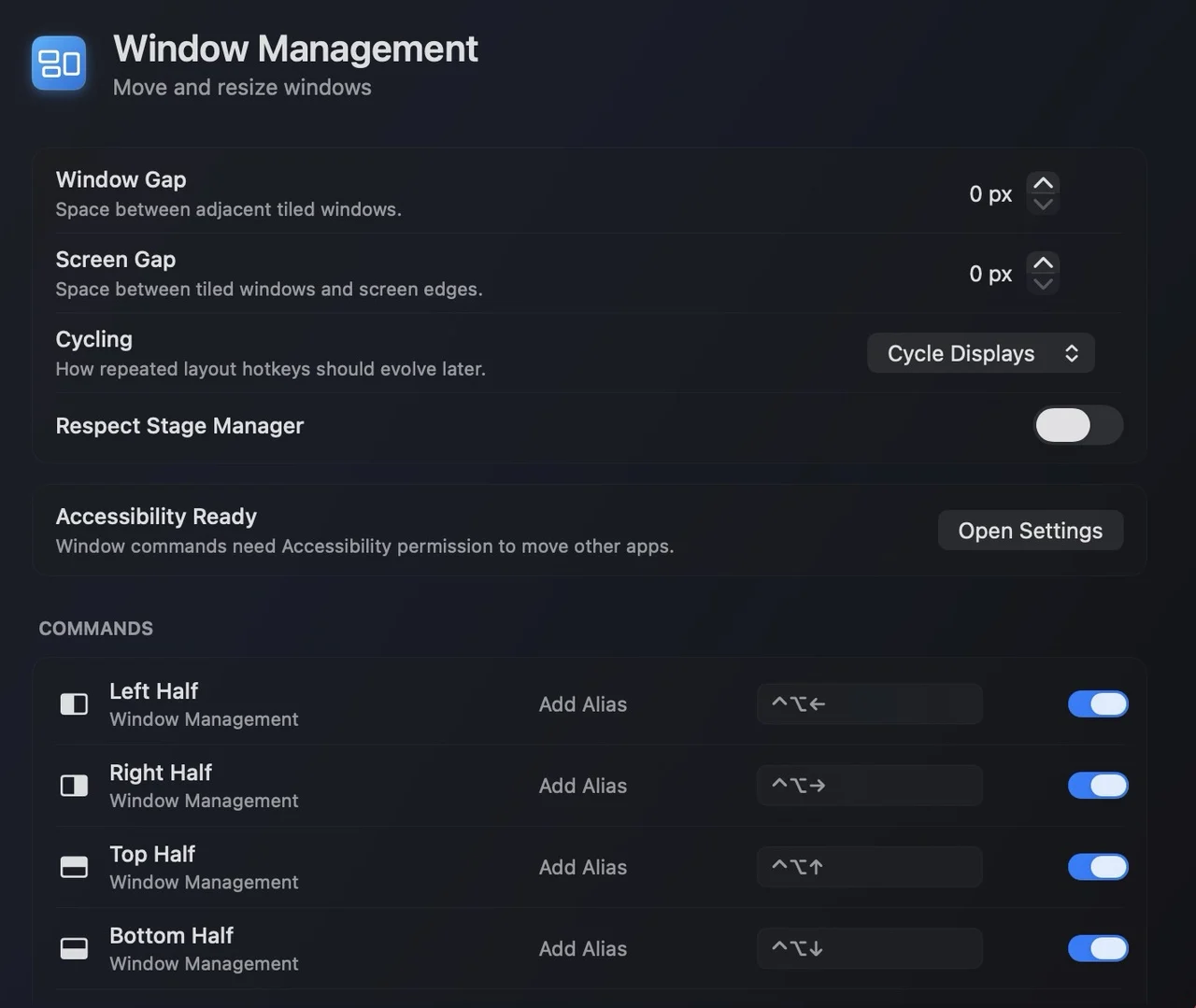
| Arrange windows | Drag windows where you want them, or use each app's Window menu. | Snap windows to halves, thirds and corners from the keyboard. |
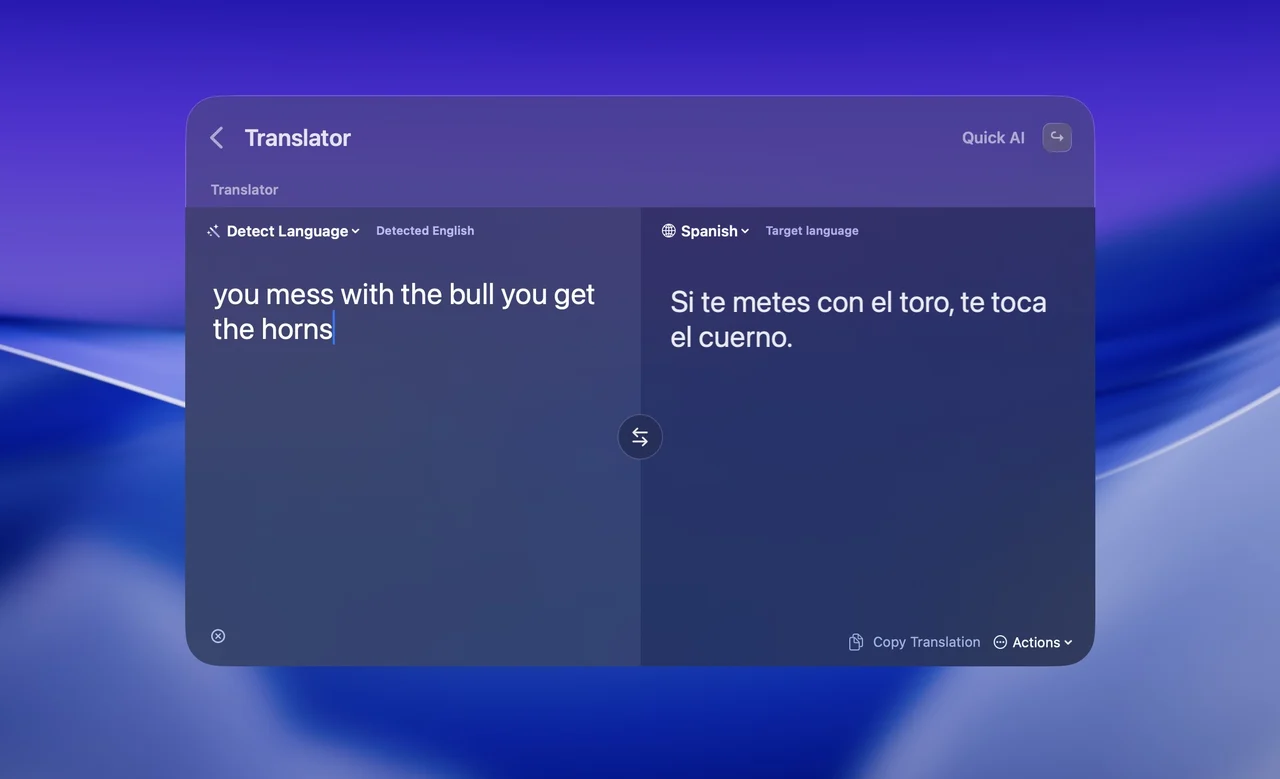
| Translate text | Open the Translate app and move the text over. | Two-pane translation, on-device on macOS 26 and later, or through your connected AI model. |
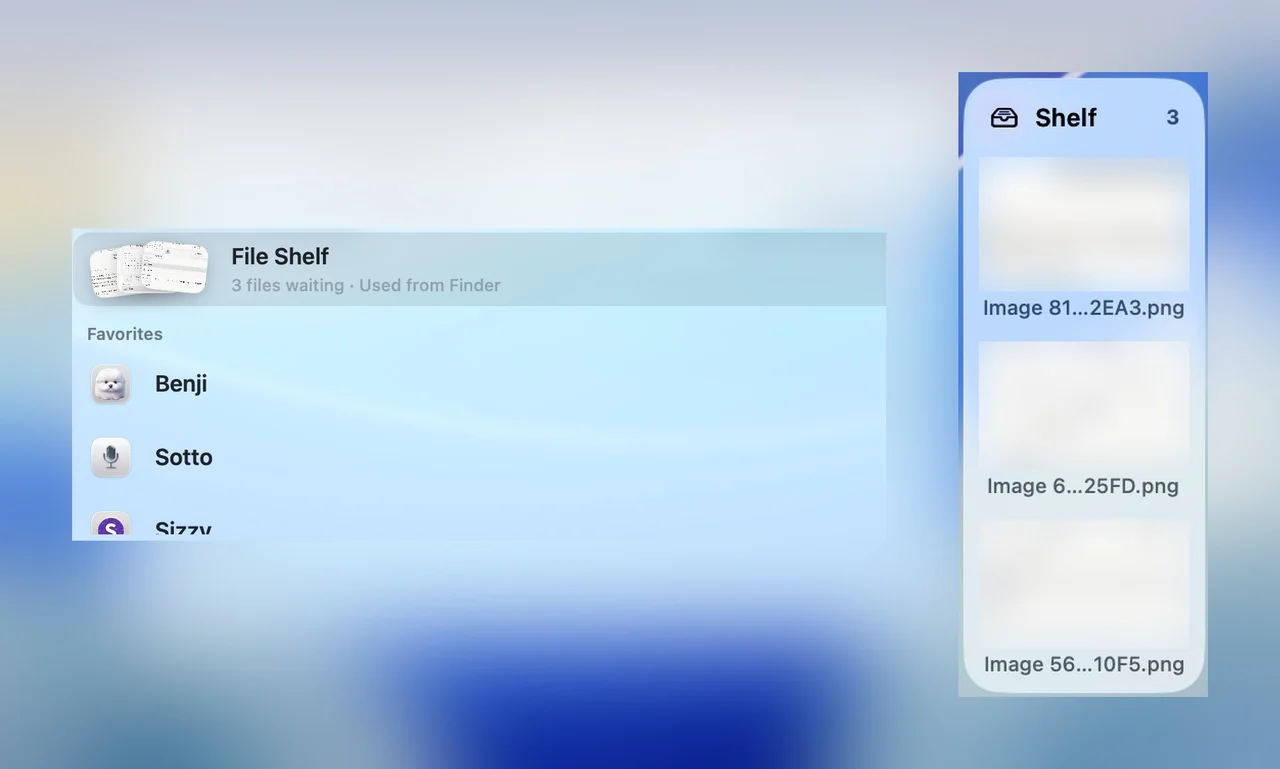
| Keep files while you move them | Park files on the Desktop, or drag them between Finder windows. | Drop files on the File Shelf, move to the destination, then drag them out. |
| Chat with an AI | Pick a separate AI app and sign in there with the provider you want. | Chat with your own OpenAI, Claude, Gemini or Grok key, or a local Ollama or LM Studio model. Replies stream in. |
| Connect the tools you use | Write a Shortcuts action, Automator workflow or shell script and attach it to a shortcut. | Install a plugin: 24 plugins in the directory, including 1Password, Homebrew, GitHub, Home Assistant, Spotify, OBS Studio, Linear and Notion. |
| Approve access and change settings | Approve each app under System Settings → Privacy & Security, and change the rest in each app's own preferences. | Supermac asks for the macOS access a feature needs; you approve it in System Settings → Privacy & Security, and Supermac's own options live in one Settings window. |
Every Supermac row is a shipped feature, documented in the feature list or the plugin directory.
Coming in 1.x, included
More on the way. Already paid for.
These ship as 1.x updates and are included in $99.
Companion
Control your Mac from an iPhone companion app.
Remote Screen
Encrypted screen sharing of your Mac over Tailscale.
Links
Pair your Macs and reach their open windows from Supermac.
API & MCP
An API and MCP server so your scripts and AI agents can use Supermac.
Home Assistant
Control your Home Assistant devices from Supermac.
Activity Monitor
See what is using your Mac's CPU and memory, right in Supermac.
Maintenance
Everyday Mac maintenance tasks, a few keystrokes away.
In the beta today · more coming in 1.x
One app. Every possibility.
What you get in Supermac 1.0.37-beta.1. Turn on AI, Translate, Breaks, Screenshots and File Shelf in Settings.
Use ↑ ↓ to move between families
AI and translate
Category 1 of 4Chat with your own AI key, streaming, and translate text on-device on macOS 26 and later.
- 1AI chat with your own keyStreaming AI chat with your own OpenAI, Claude, Gemini or Grok key, or a local model.
- 2TranslatorTwo-pane translation. On-device on macOS 26 and later, or via your AI model.
Plugins
Your tools. Inside the launcher.
24 plugins put the apps you already use in the same search field. Search your vault, control a stream, manage a deployment or run a scene without opening another window.
- 1PasswordSearch your vault and copy usernames, passwords and one-time codes without leaving the launcher.
- Home AssistantLights, switches, sensors, media, scenes and scripts from Home Assistant.
- GitHubPull requests, reviews, issues, repos, notifications and CI, read-only.
- SpotifyNow playing, controls, search, queue and devices.
- OBS StudioScene, input and stream controls over obs-websocket.
- CoolifyApps, services, databases and deployments from your Coolify instance.
From the timeline
Testimonials, somehow.
Real posts, linked to the people who wrote them. No invented names, no stock praise.
“i love the name!”

“i'd love to see what a raycast vibe coded by you would look like id be surprised if you finished 2 commands lmao”
Privacy
Your machine. Your data.
- Native Swift
- Built with Swift, SwiftUI and AppKit. No Electron.
- Your AI provider
- AI only talks to the provider you set up with your own key, or to a local model on your Mac.
- On-device translation
- On macOS 26 and later the translator runs on your Mac.
The Supermac beta is open.
Pay once.
No subscription.
A proper Mac app deserves a proper license. Buy the beta and get all 1.x updates as they ship.
SupermacBeta license · Native macOSBeta$99
$99 once · up to 3 Macs · all 1.x updates included
- 1 Supermac license
- Use it on up to 3 Macs
- The beta and all 1.x updates
How do I download Supermac?
Right after purchase you’ll get an email with your license key and download link. You can also download it any time by logging in to the customer portal.
How many Macs can I use it on?
Up to 3. You can deactivate a Mac at any time in the customer portal to free up a slot.
Can I get a refund?
Full refund within 7 days of purchase, no questions asked.
What are the system requirements?
macOS 14 Sonoma or later.
Questions? Email [email protected]
Superpowers for your Mac.
Beta available nowA fully native Mac app. $99 once, up to 3 Macs, all 1.x updates included.